
Support guide
BPM-103C Quick Start Guide
Follow the BPM-103C instructions for preparation, cuff placement, measurement, and cellular transmission. Confirm that the model number and document revision match your monitor.
Instructions
- The batteries are preinstalled. Before first use, pull out the plastic battery-insulation strip.
- Expose your left upper arm or wear a thin garment. Wrap the cuff around your upper arm.
- Position the lower edge of the cuff 2–3 cm above the elbow. The cuff should be snug, with enough room to slide one finger underneath.
- Sit quietly for 5 minutes before measuring. Rest your left arm on a table with your palm facing up. Keep both feet flat on the floor and do not cross your legs.
- Remain quiet and relaxed. Keep the cuff at the same height as your heart.
- Press START/STOP. Do not talk or move while the measurement is in progress.
- When the monitor is connected to the cellular network, the data-upload icon appears and the result is transmitted after the measurement.
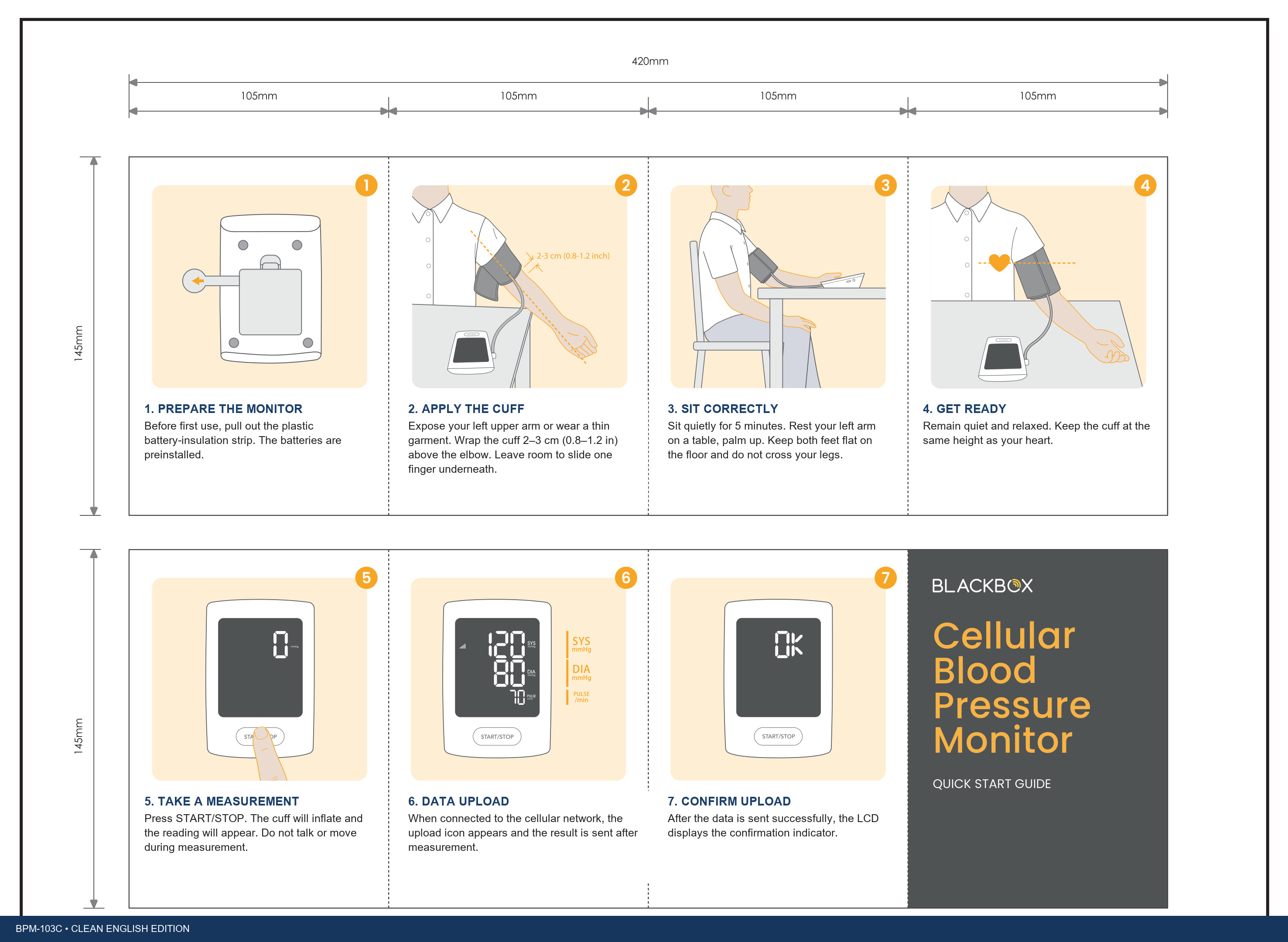
Guide reference: document BB103C-AA18-01-001-GB-04; revision A/0; dated April 28, 2024.
Before you begin
Confirm that this guide matches your monitor.
This Quick Start Guide is for the BlackBox RPM BPM-103C. Confirm that the document revision applies before following the instructions. Use the linked Quick Start Guide and full User Guide for cuff placement, measurement, and transmission directions; this webpage does not replace the device instructions.